Giesta-Design - Simulation (Giesta)
Tostem Giesta-Design Simulation (Giesta Series)
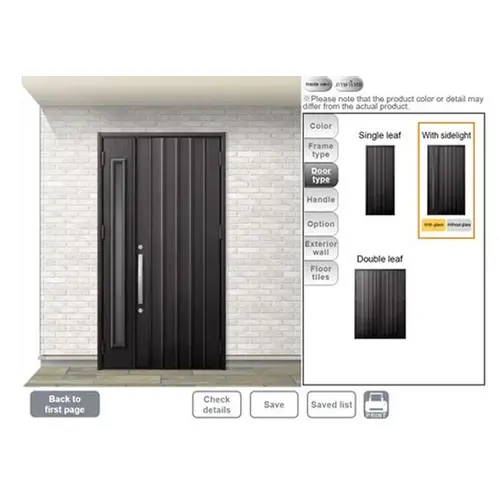
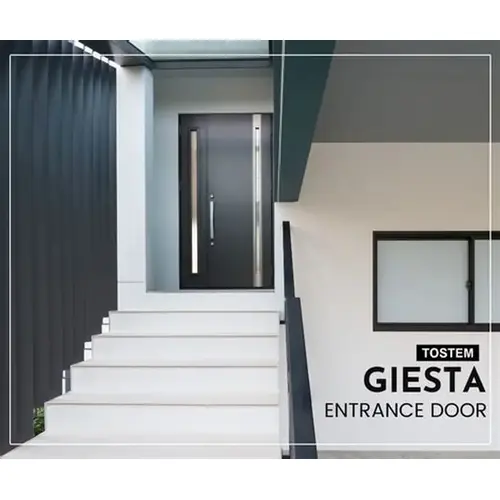
Tostem Giesta-Design Simulation is an interactive online door design tool that lets homeowners and architects visualise and customise Giesta steel entrance doors before buying. Instead of choosing blindly from catalogues, this tool lets you create and preview your ideal door by selecting styles, colours, accessories, and configurations — helping you make informed decisions with confidence.
Giesta-Design Simulation is part of the TOSTEM website and works with the Giesta series of steel doors — covering classic, modern, glass, and airflow/ventilation options.
What is Tostem Giesta-Design Simulation?
Giesta-Design Simulation is a digital customiser that allows users to:
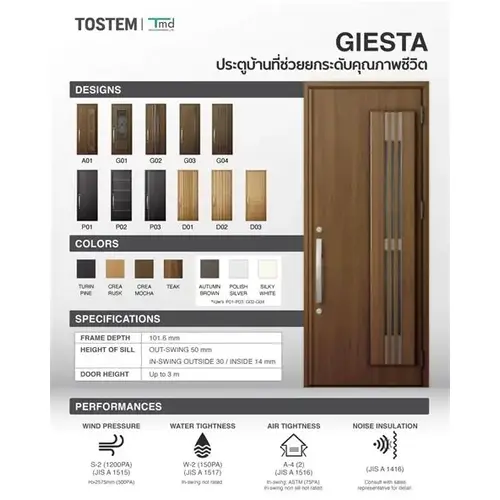
Choose a Giesta door style (e.g., simple, modern, glass-accented or airflow/ventilation).
Select colours and finishes from multiple wood pattern and metallic options.
Pick door type and operation, such as single leaf, double leaf, sidelight, in-swing or out-swing.
Add accessories like handles, digital locks, glass panels, and more.
Preview the design on realistic backgrounds (wall or tile surfaces) to see how the door will look on your home’s façade.
Once the customisation is complete, the simulator lets you save designs, generate a summary of selected options, and even print or export a request for quotation or ordering.
Key Features of Giesta-Design Simulation
✔ Visual Customisation Experience
See your Giesta door design live as you select styles, finishes, colours, and hardware — no guesswork.
✔ Extensive Style Options
Choose from multiple Giesta series sub-styles such as Simple & Minimalistic, Modern, Glass Accent, and Airflow.
✔ Colour and Finish Selection
Test different wood pattern finishes (e.g., Turin Pine, Crea Mocha) and metallic tones directly in the visualiser.
✔ Door Configuration Choices
Pick single or double door setup, add sidelights, choose opening direction, and customise panel design.
✔ Hardware & Accessory Choices
Select from various handle designs, lock types, glass inserts, and other accessories to match your aesthetic and functional needs.
✔ Save & Export Designs
Save up to multiple design variations, print your preferred version, or send your configuration to the TOSTEM sales team for a quote or purchase.
Applications of Giesta-Design Simulation
This tool is perfect for:
Homeowners planning entrance door upgrades and wanting to preview options before purchase.
Architects and designers selecting doors that complement façade design and interior style.
Real estate developers configuring standardised door options for projects.
Builders and contractors sharing visual door options with clients.
How It Helps Decision-Making
| Benefit | What It Does |
|---|---|
| Visual clarity | See how each option looks on a virtual wall before ordering. |
| Better customisation | Mix and match colours, styles, and accessories easily. |
| Faster decisions | Save and compare up to several design variations. |
| Design confidence | Avoid mismatched doors or regretted choices after installation. |
| Quotation & order support | Export designs to share with TOSTEM sales for accurate quotes. |
Benefits – Why Use Tostem Giesta-Design Simulation?
✅ Personalised Home Aesthetics
Visualise the perfect entrance door that complements your home’s style and materials.
✅ Minimise Guesswork
Instead of imagining how a door might look, you see a real preview — reducing costly design mistakes.
✅ Save Time & Effort
Instantly test combinations without waiting for physical samples or brochures.
✅ Improved Communication with Suppliers
Share your exact specification with TOSTEM or dealer partners for precise quotes and faster ordering.
✅ Empowers Design Choice
The tool encourages creativity and allows you to explore many combinations before finalising.